Securing an AWS API Gateway
Jan. 20, 2026

As a penetration tester, I am great at writing reports. I identify findings such as "Broken Access Control" or "Lack of Rate Limiting," and then recommend that the team "implement strict authorization and throttling."
It is one thing to suggest the recommendations after a penetration test, but implementing them is another story altogether.
In this lab, I had to switch roles. I moved from identifying vulnerabilities to fixing them. My mission was to deploy a completely vulnerable serverless API on AWS and then secure it using industry-standard controls.
Here is the step-by-step walkthrough of how I secured the architecture.
What is an API Gateway?
An API Gateway is a management tool that sits between a client (like a web browser or mobile app) and a collection of backend services. It acts as a single point of entry for defined API endpoints and handles tasks like traffic management, authorization, and monitoring before passing the request to the backend services.
For this lab, I set up a Serverless Architecture. "Serverless" does not mean there are no servers; it means the cloud provider manages the underlying infrastructure (patching, scaling, operating systems) so I only have to focus on the code.
The Backend:
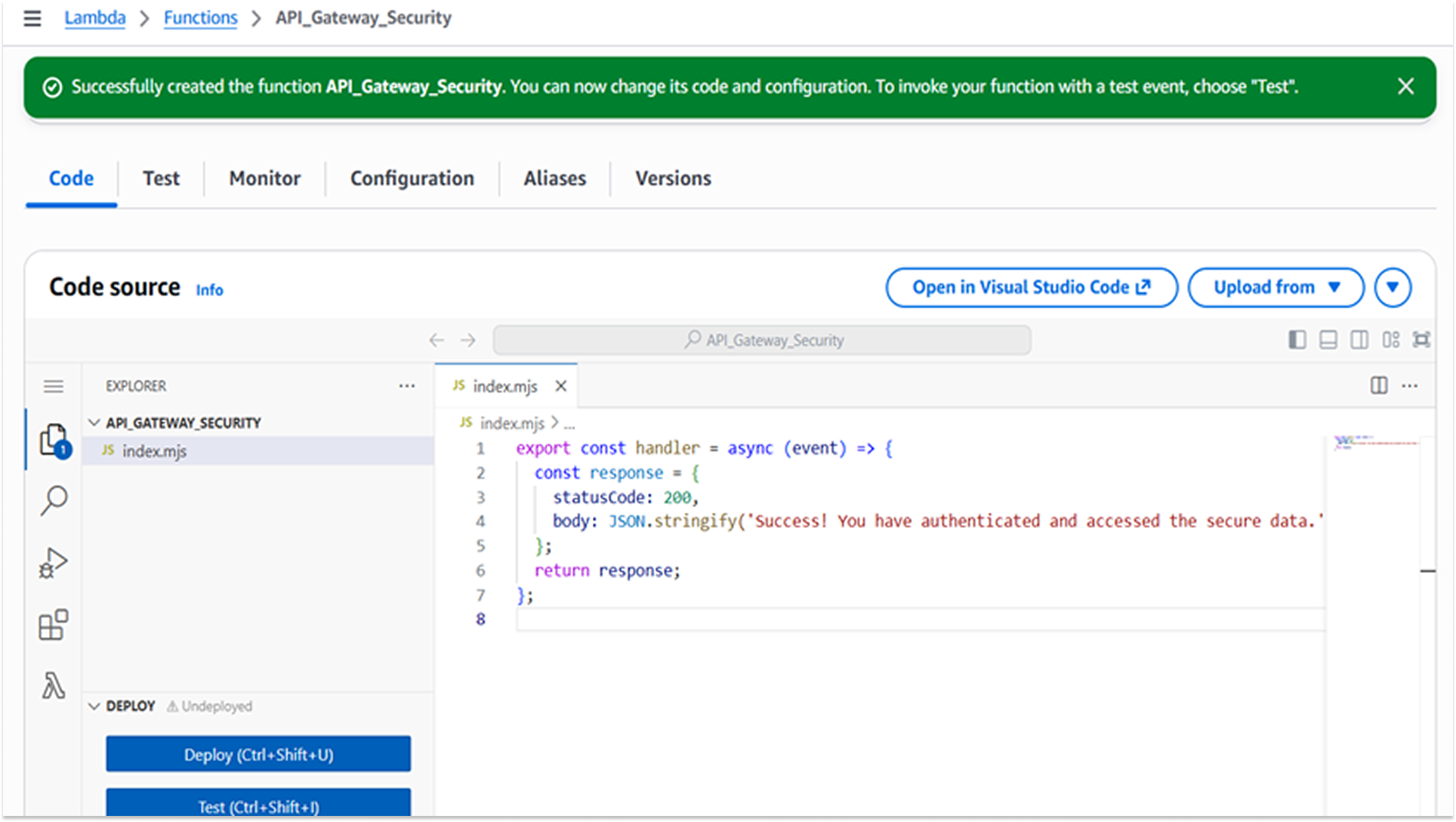
I used AWS Lambda. AWS Lambda is a "Function-as-a-Service" (FaaS) computing service that runs code in response to events without provisioning servers. A Node.js 24.x function (API_Gateway_Security) was created to handle the backend logic, returning a sensitive JSON response upon successful invocation.
Using Lambda eliminates the risk of OS-level vulnerabilities (such as unpatched Linux kernels) and reduces the attack surface to the application code itself. The function was programmed to return a sensitive data payload ("Success! You have authenticated...") to simulate a critical business transaction.
The Interface:
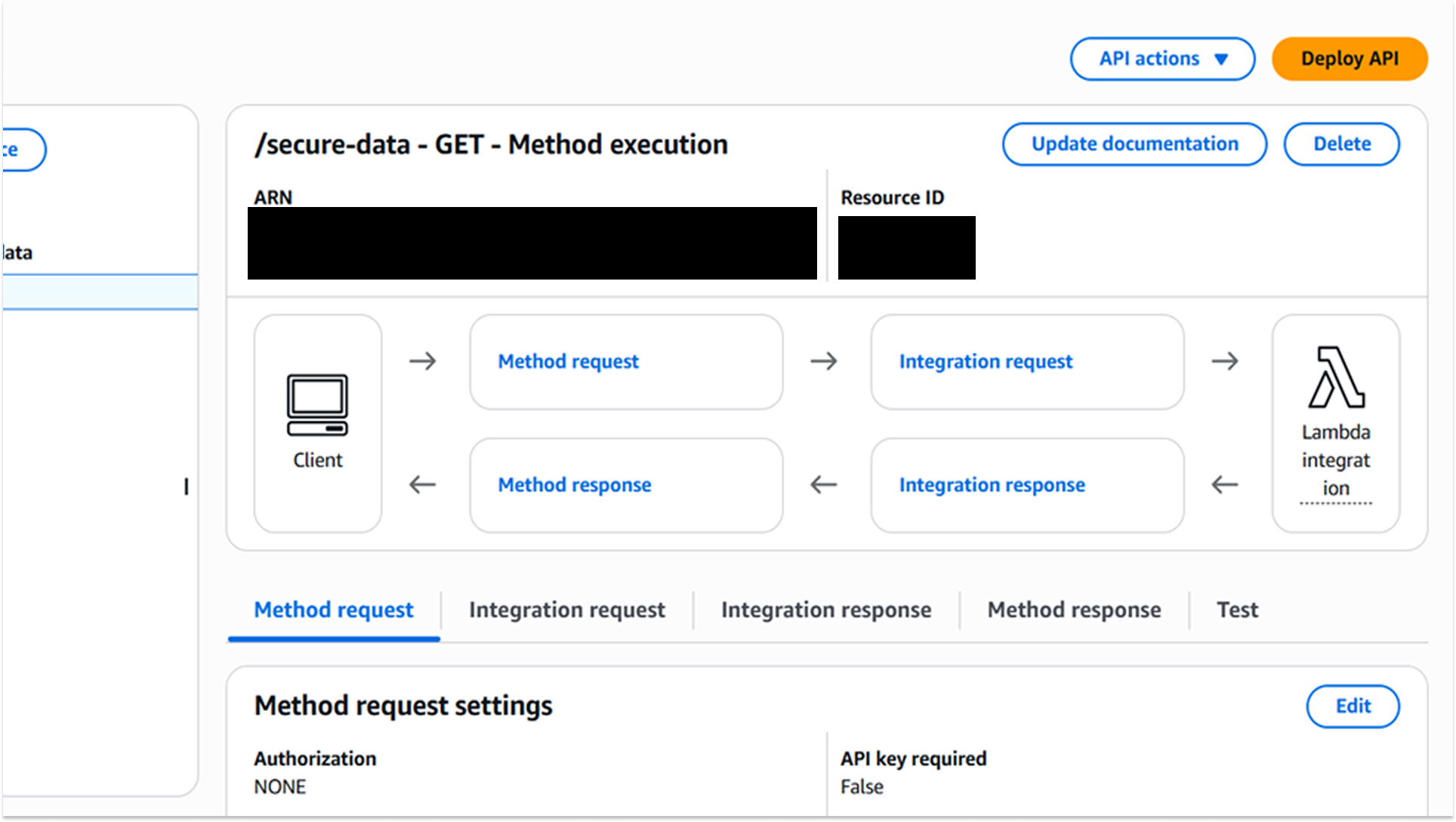
I deployed an AWS REST API Gateway to act as the public-facing interface for the function.
A resource /secure-data was configured with a GET method to trigger the Lambda.
Exposing the Lambda function directly to the internet is a bad security practice. API Gateway acts as a proxy, allowing us to enforce security policies (throttling, authentication) at the edge and protect the backend logic from direct interaction.
Vulnerability Assessment & Remediation
1. Broken Access Control (Unauthenticated Access)
The first issue I addressed was Broken Access Control. I could access the endpoint directly without providing any credentials. This is a critical vulnerability that violates the principle of confidentiality.
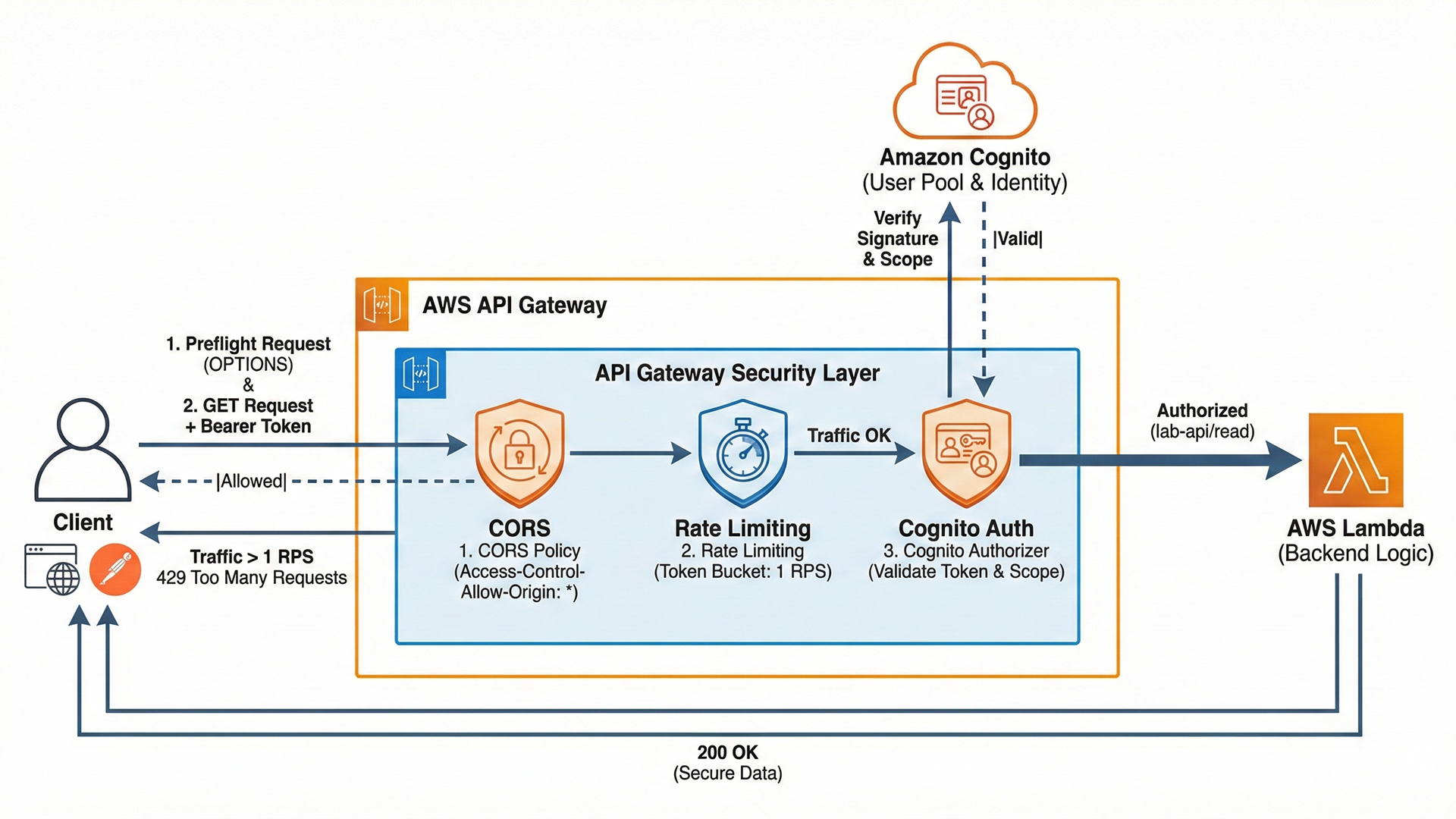
To fix this, I implemented Authentication (user identity verification) using Amazon Cognito. Cognito is a managed identity provider that handles user sign-up, sign-in, and access control.
Why Cognito?
I chose a managed service instead of writing a custom login script because custom authentication schemes are prone to critical errors, such as weak password hashing or session management flaws. Cognito offloads this complexity and adheres to industry standards like OAuth 2.0.
How I fixed this:
- User Pool: I created a directory in Cognito to manage the users.
- App Client: I configured an application client to handle the authentication flow.
- Authorizer: I created a specific component in the API Gateway called an Authorizer. This forces the Gateway to validate the user-provided identity token before allowing the request to proceed to the Lambda function.
Testing:
To verify the integrity of the Amazon Cognito Authorizer, two distinct test cases were executed within Postman: Negative Testing (Unauthenticated) and Positive Testing (Authenticated).
Negative Testing: Unauthenticated Request Validation
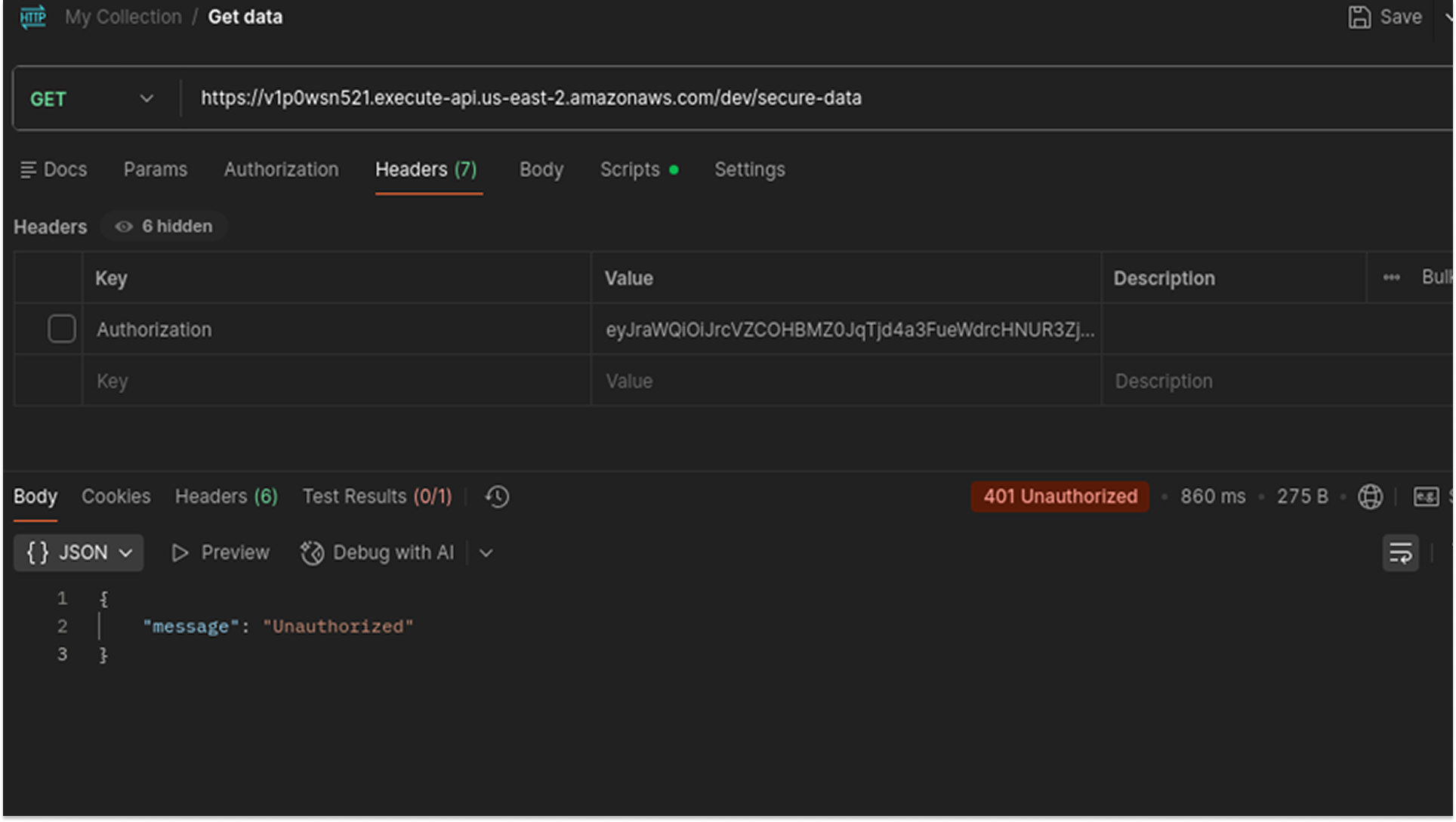
- An HTTP GET request was constructed targeting the API endpoint: https://v1p0wsn521.../dev/secure-data.
- The Authorization header was intentionally omitted from the request configuration.
- The request was transmitted to the API Gateway.
Observation:
- HTTP Status: The server returned a 401 Unauthorized status code.
- The response body contained the standard AWS Gateway error: {"message": "Unauthorized"}.
This confirmed that the Cognito Authorizer was active and correctly intercepting traffic at the edge. The Gateway enforced the security policy by terminating the request before it could invoke the backend Lambda function.
Positive Testing: Authenticated Request Validation
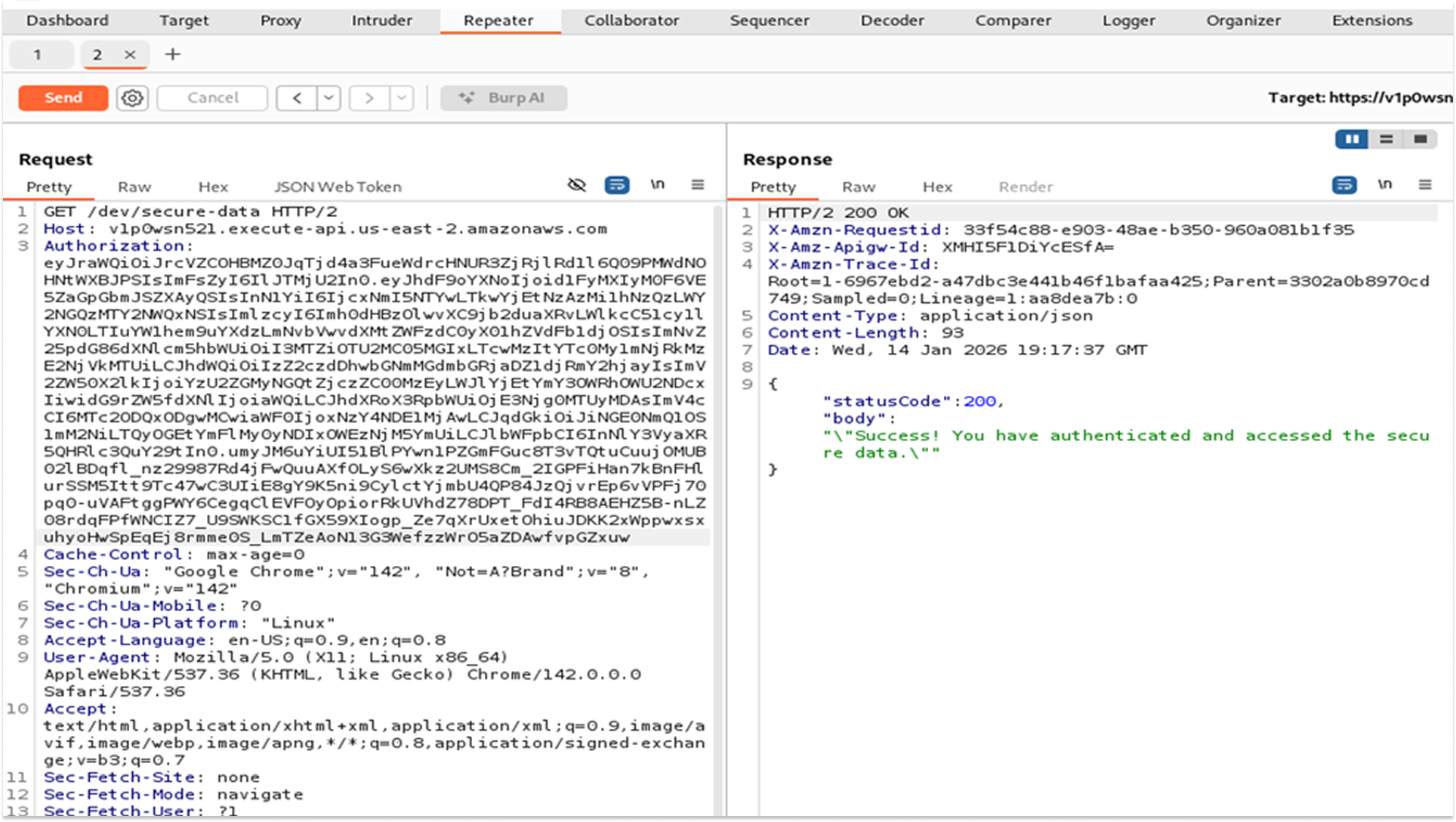
- A valid session was established via the Cognito Hosted UI, generating an OAuth 2.0 Access Token.
- In Postman, the Authorization tab was configured with the Type set to Bearer Token.
- The valid JWT was inserted into the token field, which Postman appended to the request headers as Authorization: Bearer <token_string>.
- The request was transmitted to the API Gateway.
- The Lambda function executed successfully, returning the secure data string: "Success! You have authenticated and accessed the secure data."
This validated the end-to-end authentication flow. The API Gateway successfully parsed the Bearer token, verified its signature against the Cognito User Pool, and permitted the authorized request to proceed to the backend compute resource.
2. Rate Limiting
Next, I tested the system for stability issues. I used Burp Suite Intruder, a specialized tool for automating web application attacks, to send 50 requests per second to the API.
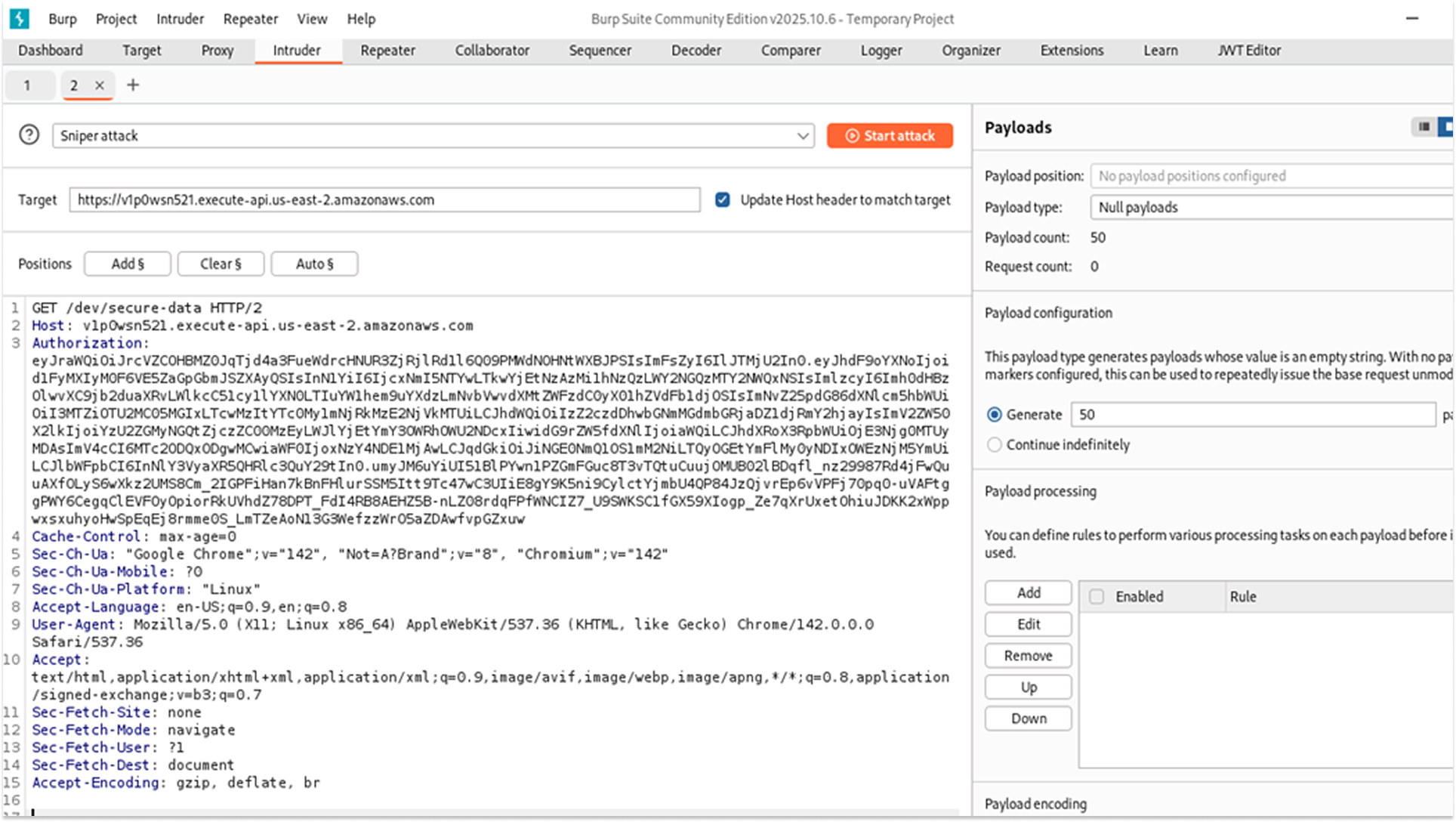
The Result: The API processed every request successfully.
The Risk: This indicates a vulnerability to Denial-of-Service (DoS) attacks, where an attacker overwhelms a system to make it unavailable to legitimate users. Additionally, since AWS Lambda charges based on the number of requests processed, a high-volume attack could result in significant financial costs.
How I fixed this:
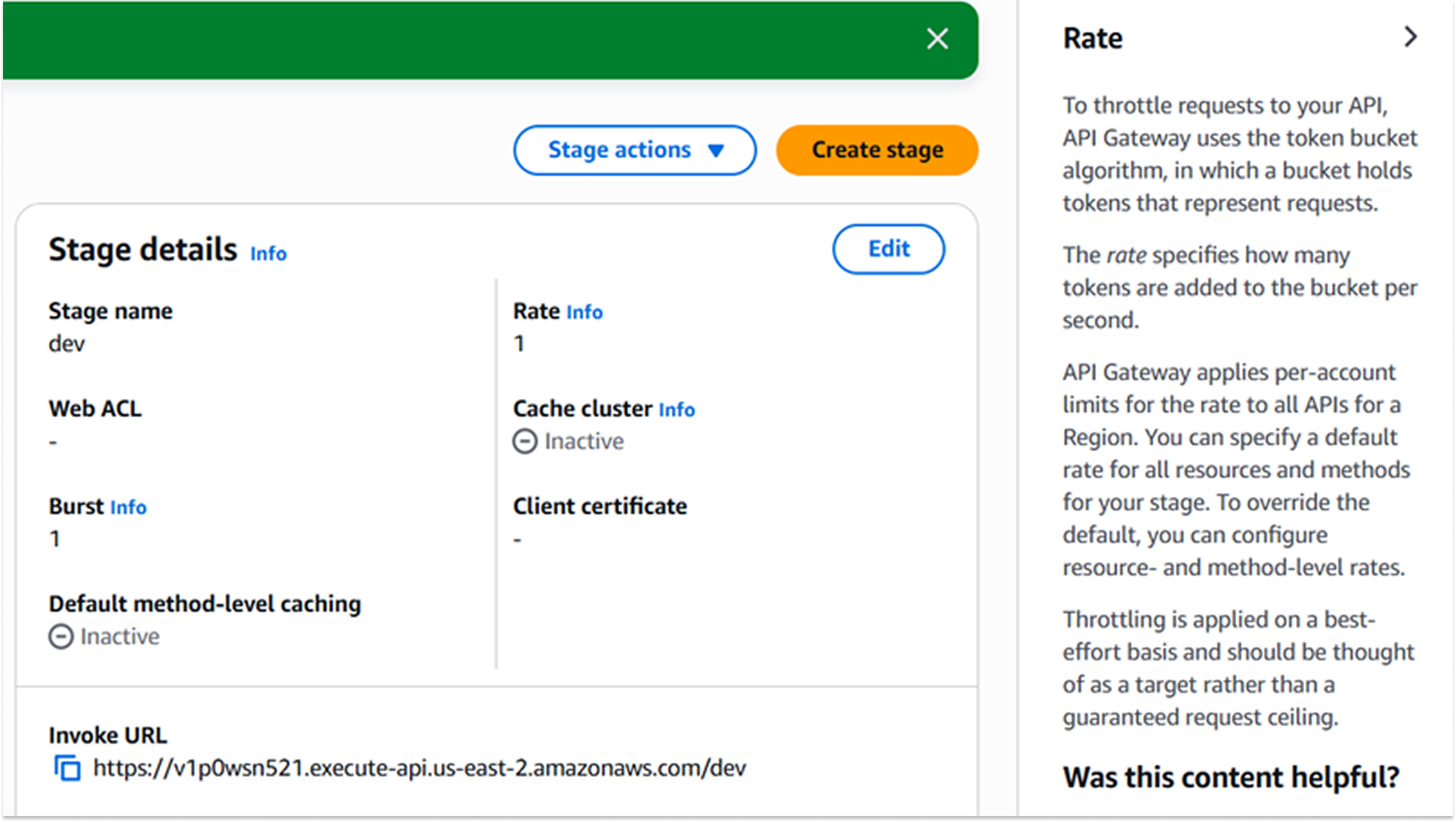
I enabled Throttling at the Gateway stage level. Throttling is the process of limiting the number of requests a user can make in a given timeframe.
- Rate: I set this to 1 request per second (the steady-state limit).
- Burst: I set this to 1 request (the maximum allows variance).
A strict throttling policy was selected to protect the backend computing resources from being overwhelmed by traffic spikes. By enforcing limits at the Gateway level, unauthorized or excessive traffic is rejected at the network edge before it incurs costs or consumes capacity in the Lambda function. The rate of 1 was chosen specifically for this laboratory environment to immediately validate the blocking mechanism.
Testing:
I ran the automated test again. After the first request, the Gateway blocked excess traffic and returned a 429 Too Many Requests error. This confirmed that the traffic control was active and protecting the backend resources.
3. Role-Based Access Control (RBAC)
Authentication verifies who the user is, but it does not control what they are allowed to do. Initially, any logged-in user could access the sensitive data. I wanted to implement Role-Based Access Control (RBAC) to enforce more granular permissions based on each user's role.
How I did this:
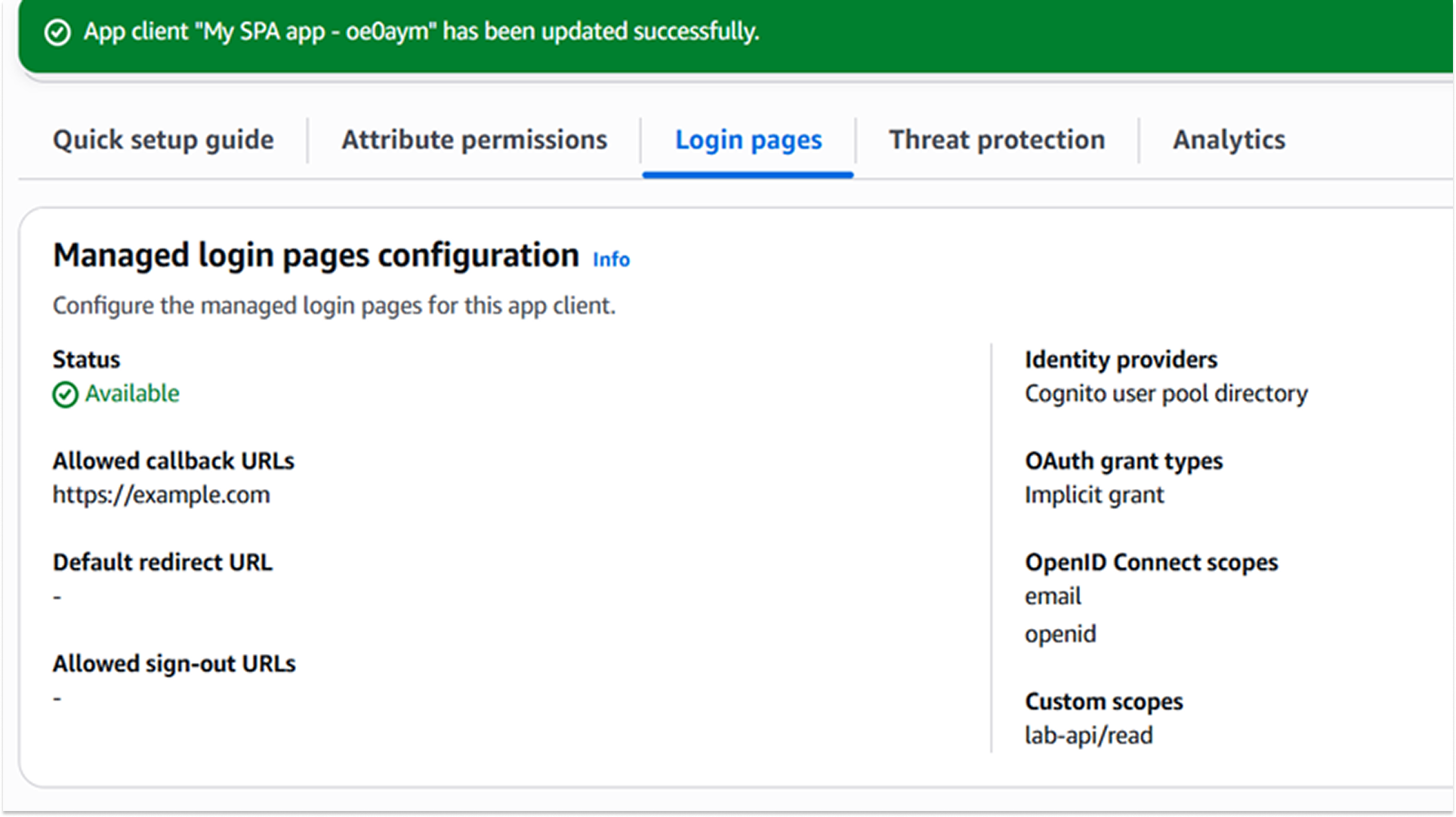
I utilized OAuth 2.0 Scopes. A scope is a specific permission that defines what resources a token can access.
The following architectural changes were applied to define the permission structure:
- Resource Server Definition:
Identifier: lab-api
Scope Name: read
This creates a specific "permission badge" (lab-api/read) that exists independently of the user's identity.
- Client Assignment:
The App Client was updated to explicitly allow the lab-api/read scope.
This allows the specific application to request this privilege on behalf of the user.
- Gateway Enforcement:
Method Request: The GET /secure-data method was configured to require the OAuth Scope: lab-api/read.
This offloads the authorization logic to the Gateway. If a token is valid but lacks this specific scope, the Gateway rejects it before it ever reaches the backend Lambda.
Testing:
I validated the fix using a two-step "Negative/Positive" test in Postman to confirm that the scope was strictly enforced.
Negative Validation (The Unauthorized User)
I attempted to access the API using the previous valid Access Token (which proved identity but lacked the new scope).
The API Gateway rejected the request with an HTTP 403 Forbidden (or 401) error.
Positive Validation (The Authorized Role)
A new session was established via the Cognito Hosted UI to generate a fresh Access Token. The payload was inspected to verify the presence of the "scope": "lab-api/read" claim. This token was sent in the Postman Authorization header.
Result: The API returned an HTTP 200 OK status code and the secure data payload.
This one was a whole new experience for me, and while I enjoyed it and it taught me the difference between abstract recommendations and those that will work in the real world, I’m going to stick to breaking stuff.